Policies
In order to enable snapshot management for Storage Instance, you need to do the following steps:
Go to Snapshot SLAs under the Storage section and create a new Snapshot Management policy:
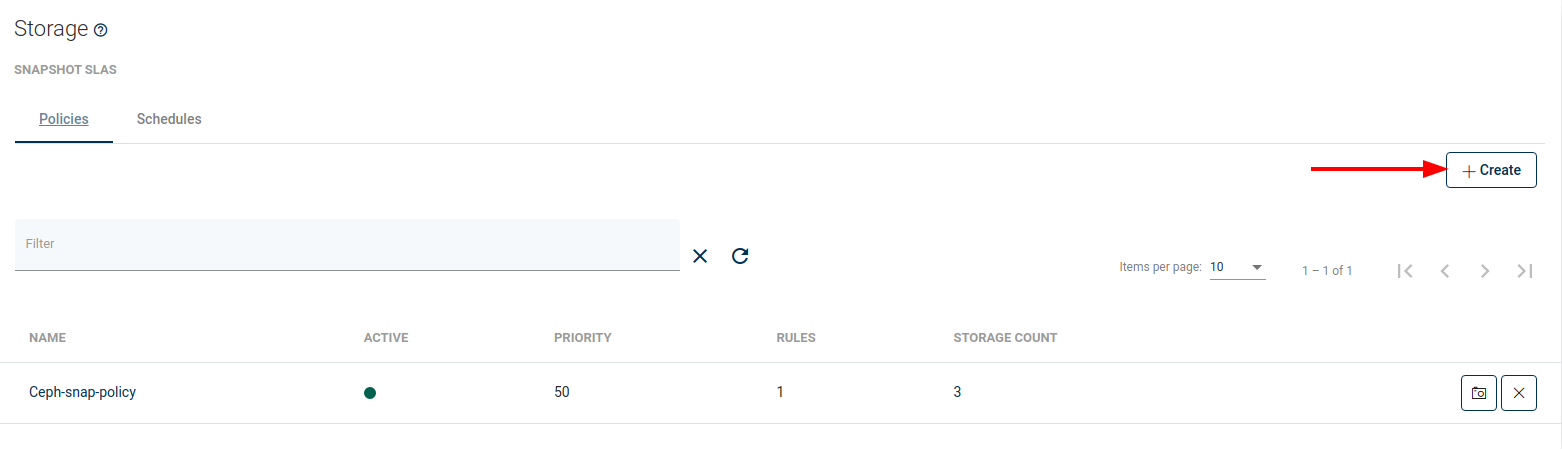
As well as other types of Policies, you'll also find 4 main sections here:
General
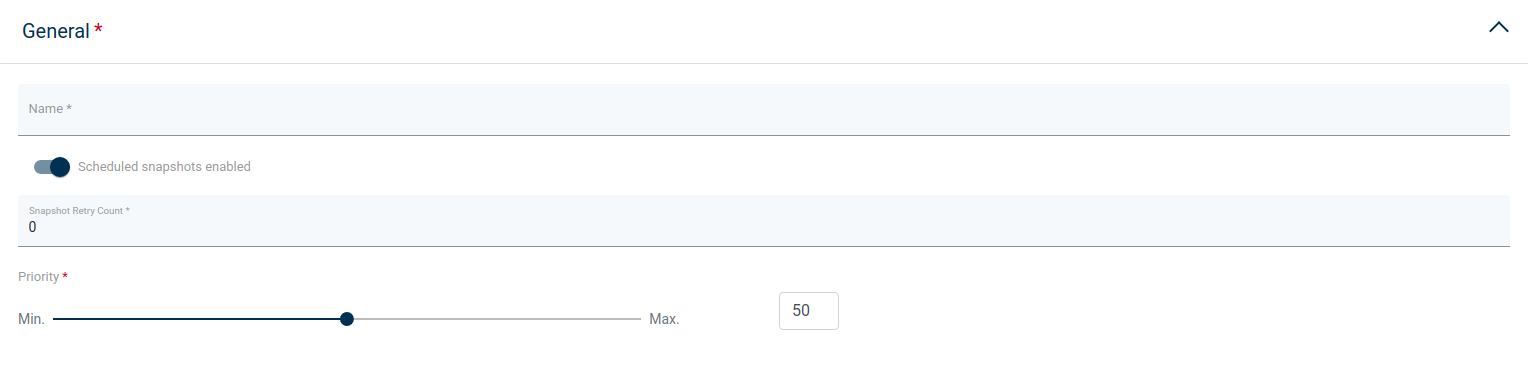
Under this section, you can set up:
- Name of policy
- Enable/disable this policy
- Snapshot Retry Count - how many times, vPlus will try to repeat the snapshot task
- Set priority for the task
Auto-assignment
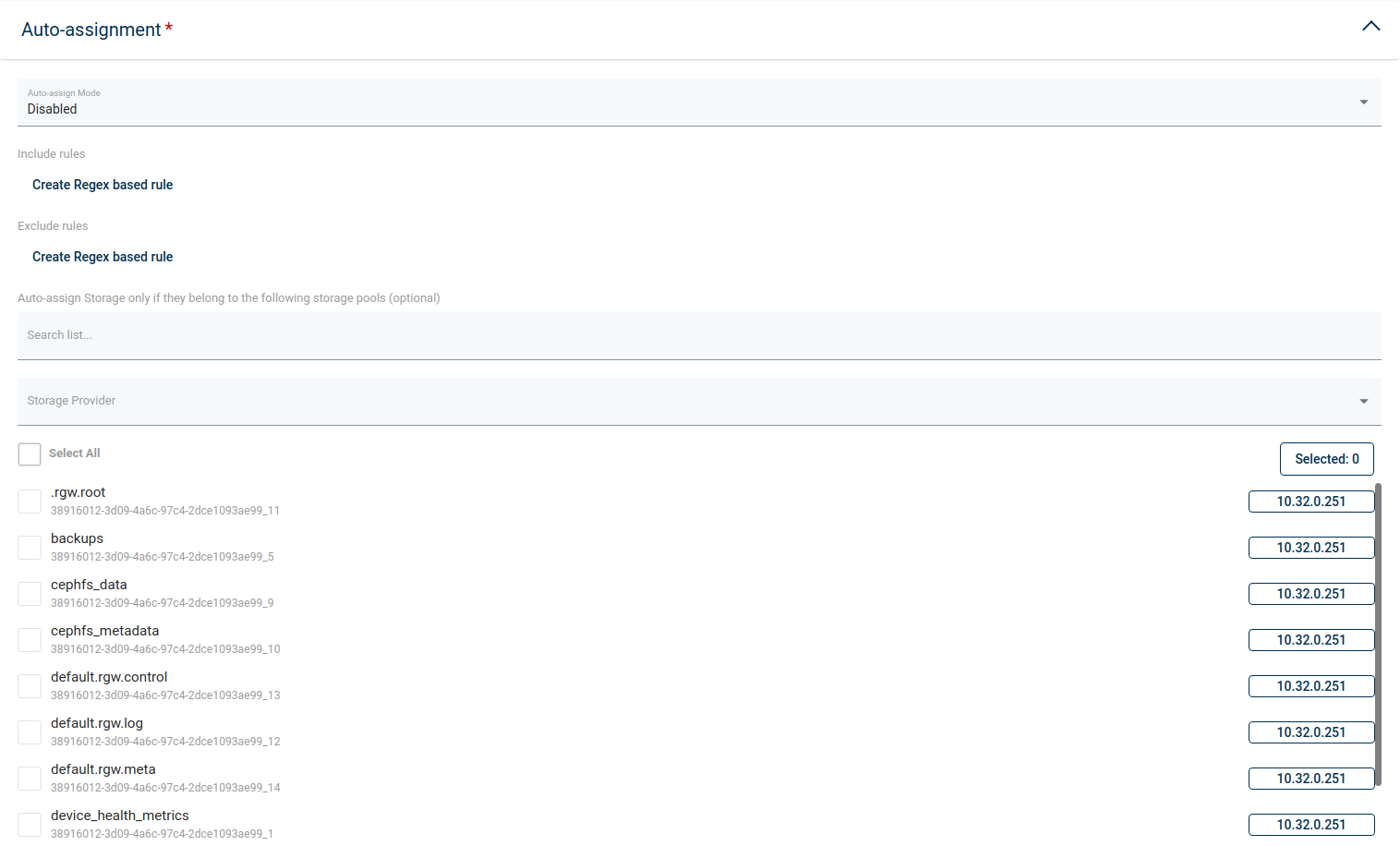
In this section, you can set up:
- Mode
- Disabled
- Assign only
- Assign and remove
- Include or exclude rules based on regular expression matching Storage Instance name, i.e.:
- regular expression examples:
- .* match any character any number of times
- storage-[0-9][0-9][0-9] - match name that starts with storage- and 3 digits
- (prod|uat|dev)-[0-9][0-9][0-9][a-z]? - match the name that starts with prod or uat or dev prefix, then -, then 3 digits and optional lower-case letter (matching is case-sensitive)
- exclude rules always take precedence over include rules
- Storage Instances may not be reassigned to the different policy if they already have a matching policy assigned
- Storage Instances may be reassigned to the different policy only if mode is assigned and remove, current policy assignment rules don't match, and other's policy rules match
- rules are joined with OR operator, so
- if any rule (tag or matched regular expression) excludes a Storage Instance - it will be excluded
- if no rule (tag or matched regular expression) excludes Storage Instance, and any rule (tag or matched regular expression) includes Storage Instance - it will be included
- You can also select Storage Pools to match only Storage Instances that belong to them
- regular expression examples:
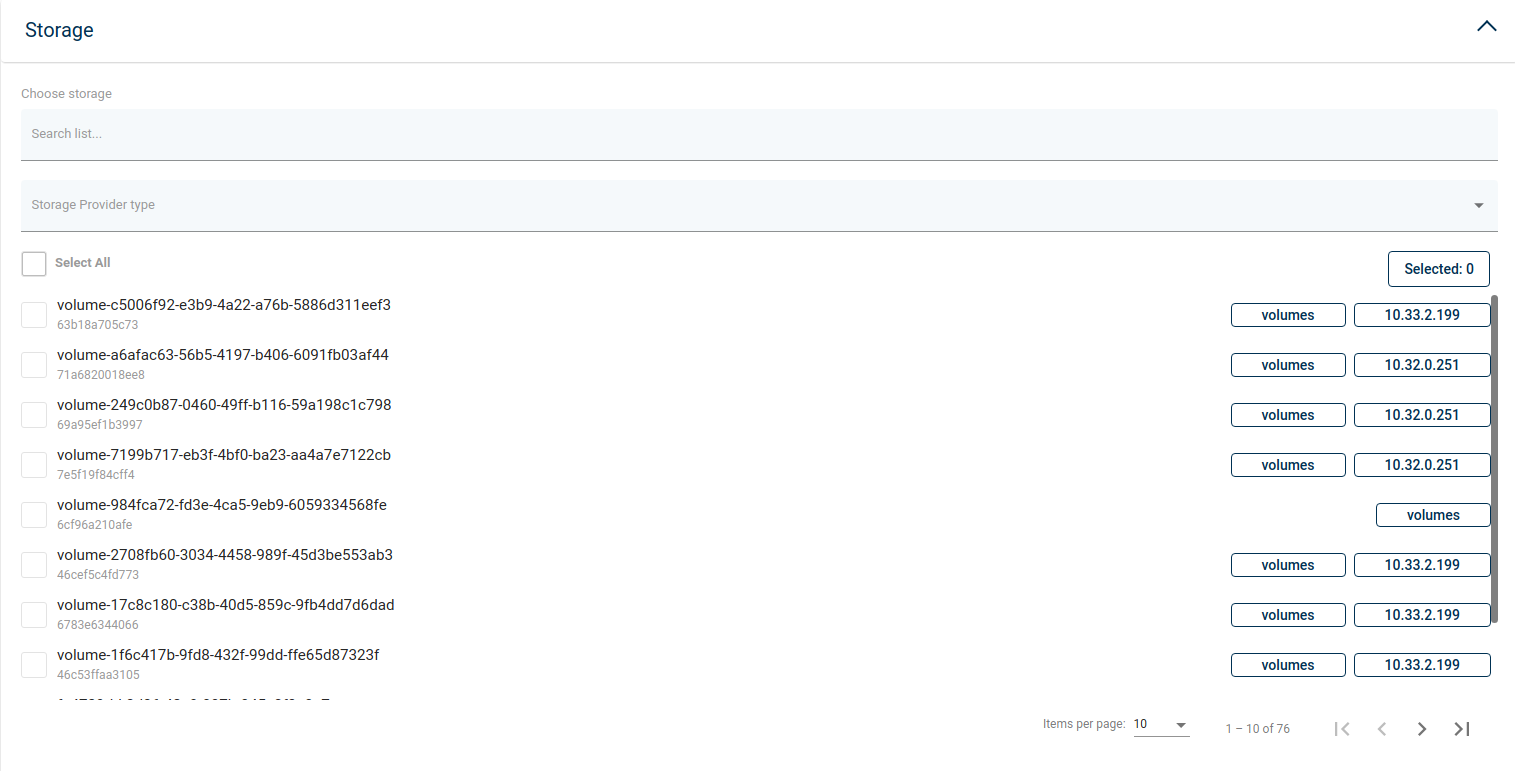
In this place, you can select storage instances manually in a simple way.
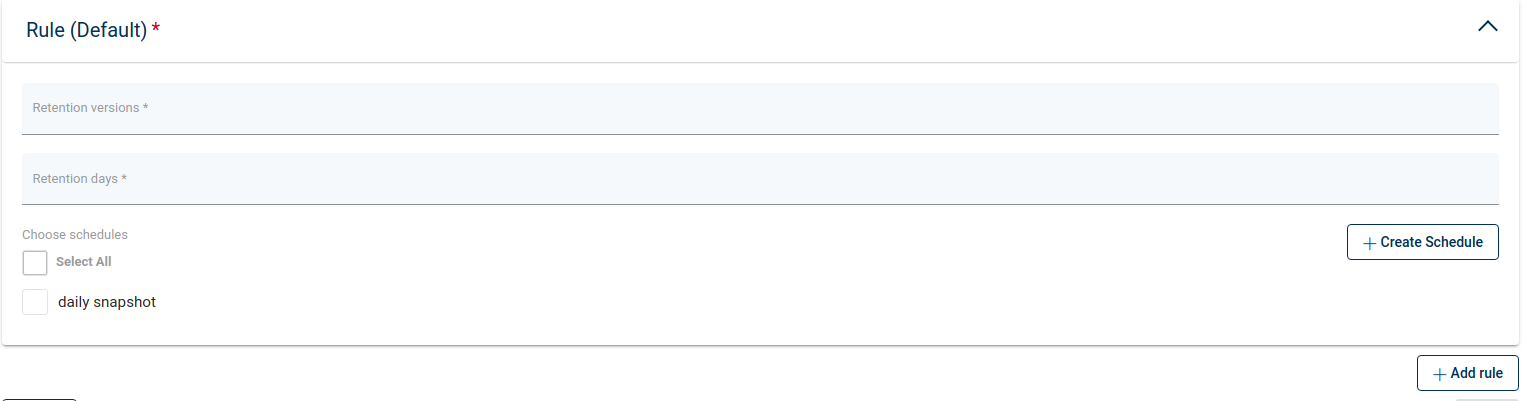
Provide retention settings - how many snapshots (created by this policy) will be kept and for how long. If you have already created a schedule, you can also select it.