IBM Spectrum Protect
-
Register the ISP node on your ISP server.
-
Log in to your ISP server and prepare a policy set for DPX vPlus backups.
 Def dom vprotect
 Def pol vprotect vprotect
 Def mgmt vprotect vprotect vprotect
 Def co vprotect vprotect vprotect dest=<StoragePoolName> vere=nolimit verd=nolimit rete=nolimit reto=nolimit
 Assign defmgmt vprotect vprotect vprotect
Activate pol vprotect vprotect -
Register the node on the ISP server:
register node vprotect_proxy <SecretPassword> dom=<VMdomain> maxnummp=10 passe=0 dedup=cli backdel=yes
-
-
Use a script to automatically download and install the ISP API and client.
/opt/vprotect/scripts/setup_isp.sh
warning
Make sure to type the IP address of your ISP server, TCP port, and node name correctly. For example:
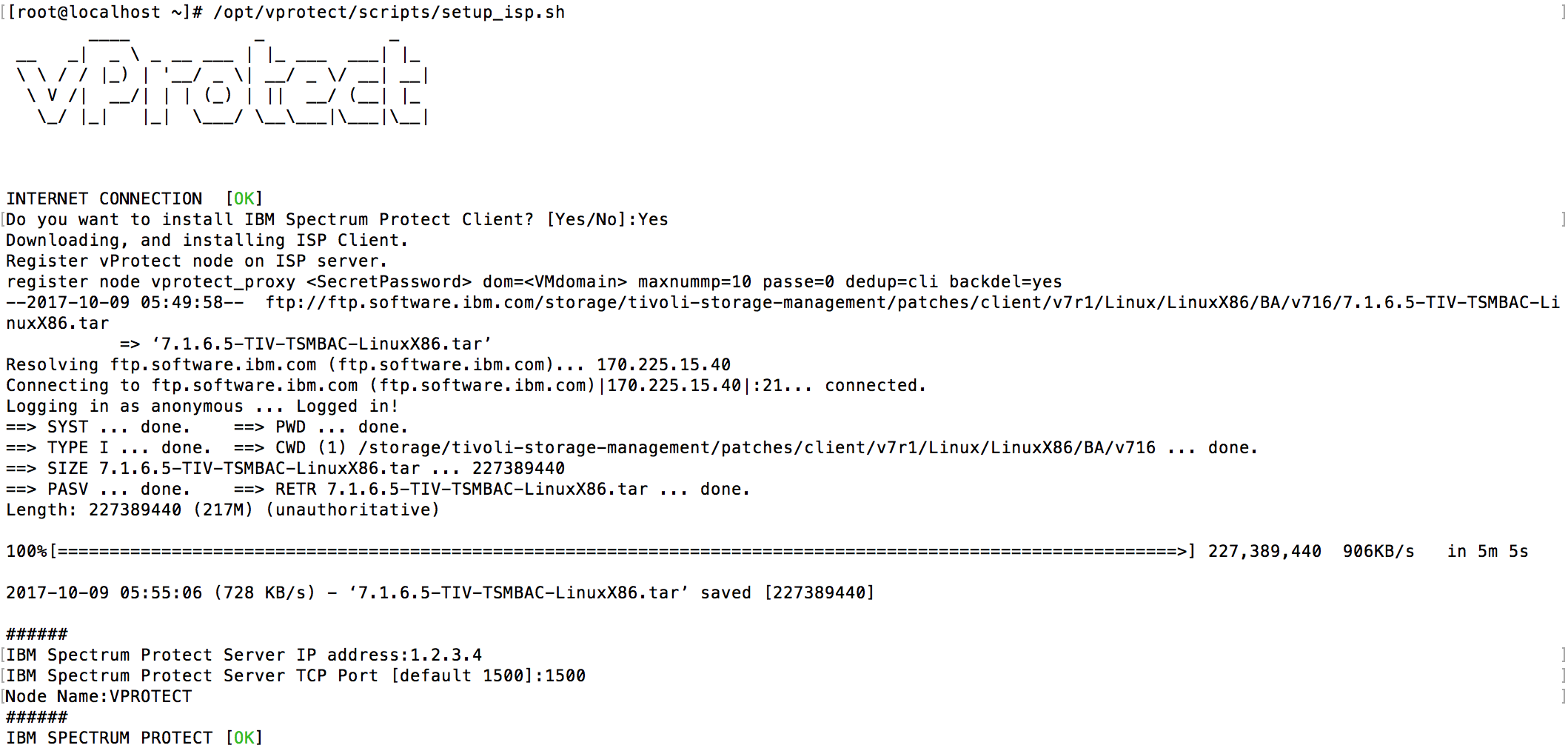
-
Next step is to set up the Backup Destination in our UI.
- Go to Backup Destination and select Enterprise
- Now you can add IBM Spectrum Protect Backup Destination
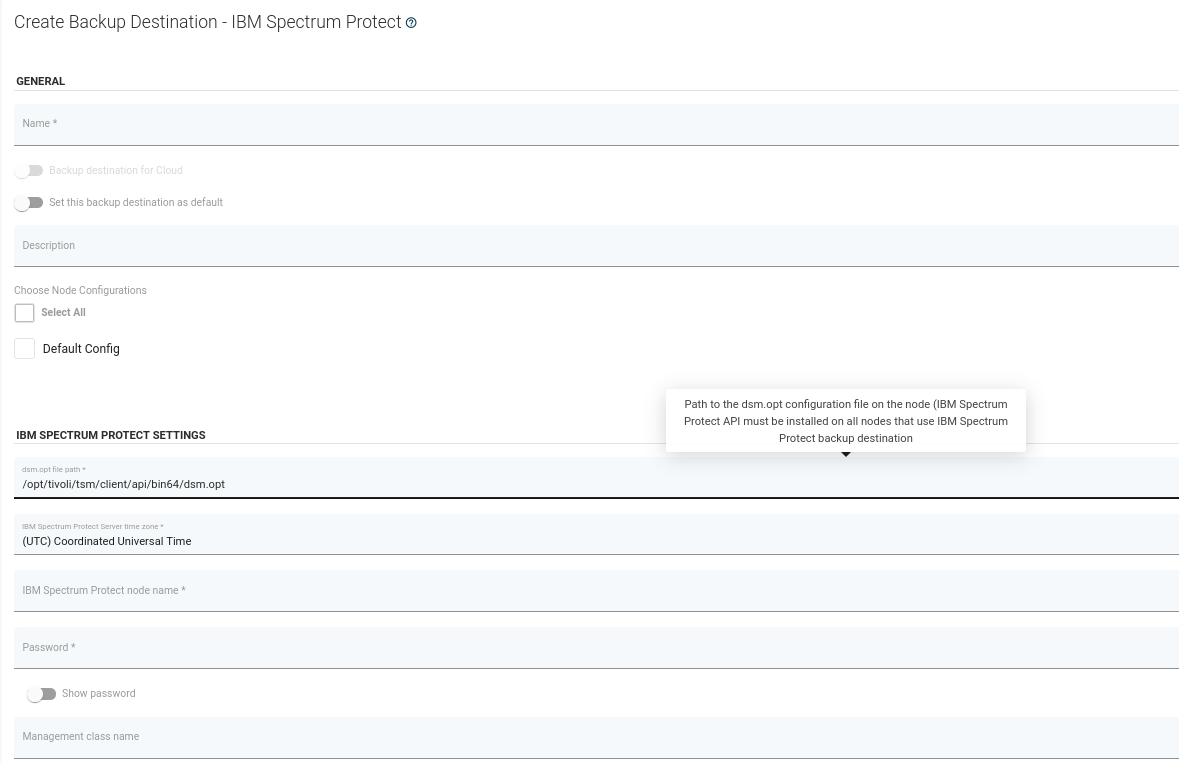
- Type name and attach Backup Destination to Node Configuration. You also need to set:
- path to dsm.opt file (Default is
/opt/tivoli/tsm/client/api/bin64/dsm.opt), where are saved information of IBM Spectrum Protect Nodes, - name of IBM Spectrum Protect Node,
- password to ISP node.
- path to dsm.opt file (Default is