Proxmox VE
Proxmox environments require backup storage to be defined on each server. This storage must be a location accessible from DPX vPlus Node (the simplest setup, when you use only 1 node, is to create NFS share for the staging path on DPX vPlus Node).
- Create storage from NFS share (Content-type: VZDump)
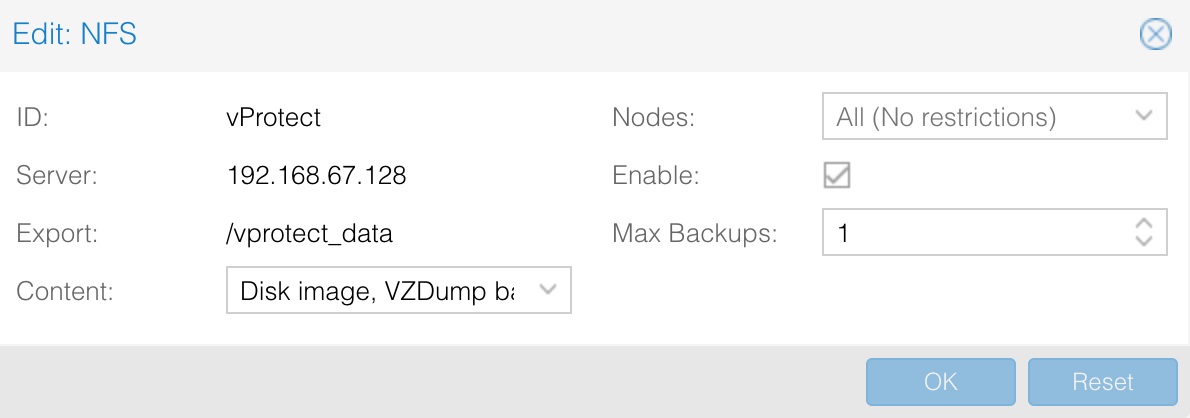
-
The export share must be set to use the UID and GID of the
vprotectuser. -
Example export configuration in
/etc/exportsto the selected hypervisor in the RHV cluster:/vprotect_data PROXMOX_HOSTS(fsid=6,rw,sync,insecure,all_squash,anonuid=993,anongid=990)where
anonuid=993andanongid=990should have the correct UID and GID returned by command:[root@vProtect3 ~]# id vprotect
uid=993(vprotect) gid=990(vprotect) groups=990(vprotect) -
Both import and export operations will be done using these NFS shares – restore will be done directly to this storage domain, so you can easily import the backup into the Proxmox environment
- Backups must be restored to the export path (the node automatically changes the names to the original paths that are recognized by Proxmox).
-
The name for storage must be provided later in the node configuration (
Hypervisor -> Proxmox)section.

File-level restore support for VMA images
- Prepare the VMA extractor on DPX vPlus Node - you have 2 options:
-
Build a VMA extractor like this (requires Internet on the node):
cd /opt/vprotect/scripts/vma
./setup_vma.sh
-
-
-
Download the VMA extractor from the Storware FTP (in the Add-ons directory) and install it.
cd /opt/vprotect/scripts/vma
./setup_vma.sh PATH_TO_VMA_ARCHIVE
-
Public key authentication
The details are described in the SSH public key authentication section.